 Tony Carnevale
The short answer
A site with traffic and no leads has one of four problems: the visits are bots, the visits are the wrong people, people reach the form and stop, or they never get near it. The visit-to-lead funnel says which gap is biggest, the visitor trails show the people in that gap, and the problems list says what broke.
Key takeaways
- Start with the funnel: visited, reached the form, sent it. The two gaps are different problems with different fixes.
- Your host's stats page counts crawlers and monitors as visits. Measure leads against a count that drops bots first.
- Read traffic sources against leads. A source with hundreds of visits and no leads is the wrong audience, and no page change fixes that.
- Filter the visitor trails to people who left a form unsent and read ten. Started filling a form means a field was focused, nothing more.
- Check rage clicks, dead clicks and form errors on the contact page before you blame the copy.
- A plain-text phone number counts nothing. Make it a tel link and the taps join the leads.
Traffic without leads has four causes, and your analytics can tell you which one you have. Either the visits are not people, or the visits are people who were never going to buy, or people reach your form or phone number and stop, or they never get near either. Each one shows up in a different place, and the fix for one is useless for the others.
I have watched owners buy a redesign for a problem that turned out to be two hundred crawler visits a month and a Meta campaign aimed at the wrong state. So before anything else, find the gap. The four places to look are below, on the screens of Venbit's analytics, using the demo site WebsiteMaintenance.com. Every number read from a screen is that demo site's.
Check that the visitors are people
Your hosting company's stats page counts every request, and most requests are not people. Crawlers, uptime monitors, SEO tools reading your pages and scripts running from datacenters all register as visits there. If that is the number you have been staring at, the gap between it and your leads is partly imaginary.
Our tracker drops bot traffic before anything is counted. The definitions page says what gets dropped: crawlers, scanners and datacenter traffic, detected by user agent, by empty user agents, and by known cloud-region cities such as Ashburn. They are recorded, so you can look at them, and hidden from every number by default. The visit count you see runs lower than an estimator tool claims for the same site, and it is the one to measure leads against.
If your traffic looks healthy on a tool that already excludes bots, move on. If you have only ever seen the host's figure, your real traffic is smaller than you thought, and the question changes from why no leads to whether you have enough visits to expect any yet.
The funnel: visited, reached the form, sent it
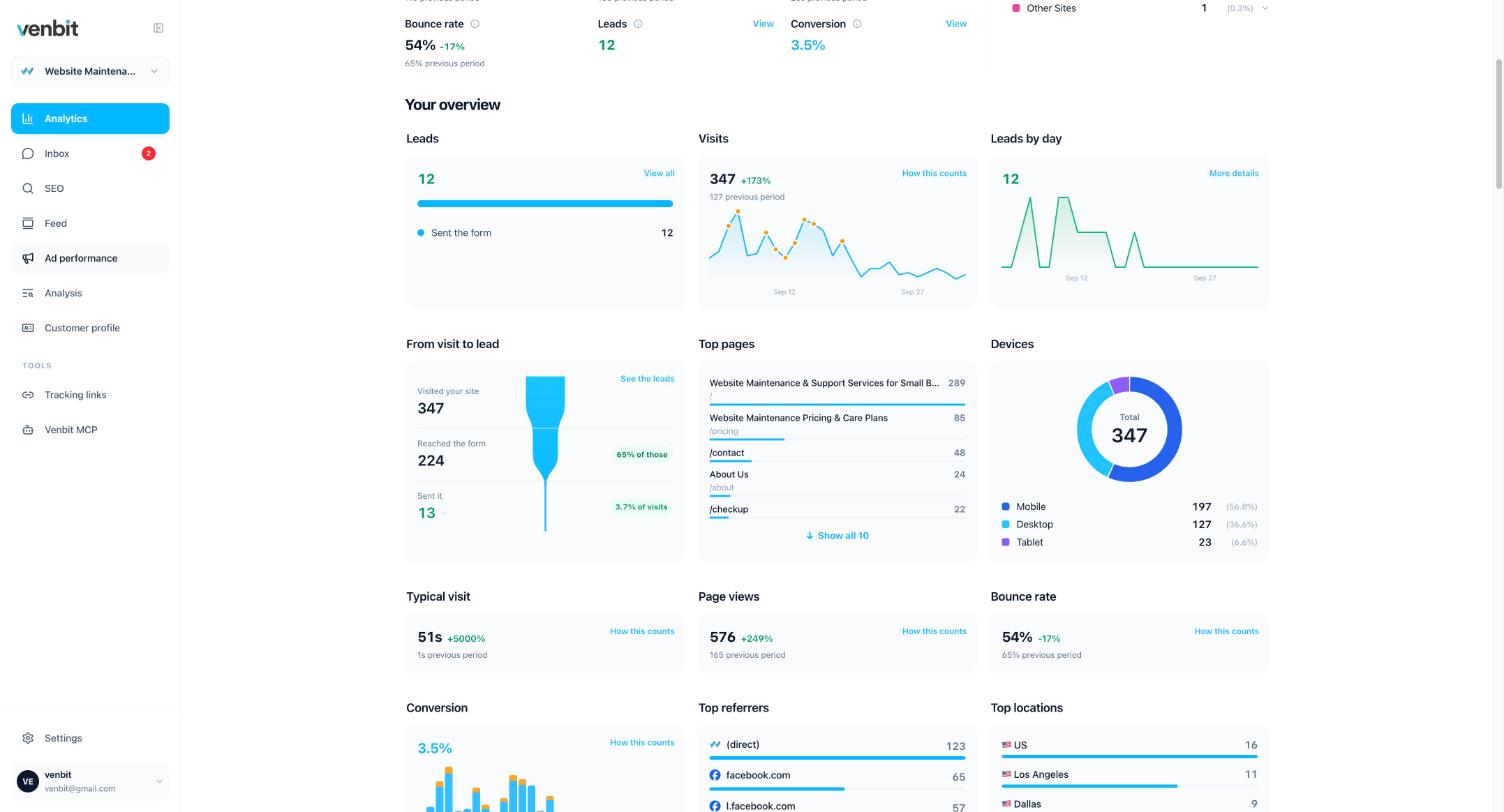
The funnel has three steps: visited the site, reached the form, became a lead. On the demo site the last 30 days read 347 visits, 224 reached the form, and 13 sent it. Two gaps, and they are very different sizes.
The first gap, from 347 to 224, is people who never got to the form. On this site it is small, because the quote form sits on the home page. On a site where the form lives on a contact page three clicks deep, this gap is where the traffic goes to die, and the top pages list under the funnel tells you which pages people read instead.
The second gap, from 224 down to 13, is people who had the form in front of them and did not send it. That is a page problem or a form problem, and the sections below are about telling those two apart. The lead count beside the funnel reads 12 against 13 sends. They are two different counts: the definitions page counts a visit as one lead however many times it converts, and the funnel counts the sends.
A conversion rate on its own hides which gap you have. So does bounce rate, which did not predict leads at all in the sites we measured. The funnel is the number that splits the problem in two.
Where the traffic came from
The sources chart on the dashboard answers the second cause: wrong people. On the demo site the last 30 days were 221 visits from ads, 70 direct, 26 from AI assistants, 24 from social and 5 from search. A site built to rank for a local service and getting five search visits a month is a site nobody local is finding, and the ad clicks are carrying the whole lead count.
Read the sources against the leads. Ad traffic that produces leads at the site's average rate is fine. Ad traffic that produces none is a targeting problem that no change to the website will fix. The demo site's ad performance screen reads 221 ad clicks and 9 leads in the same window, which is a campaign doing its job. Tracing each lead to the page and the source it came from is how you see that per lead instead of as a total.
Direct deserves a word of caution. Direct means the browser sent no referrer, which covers a typed address, a bookmark, a link in a text message, and some app clicks that strip the referrer on the way. It is the absence of a source. Reading it as loyal customers who know your name is a mistake I see every month.
Visitors who reached the form and did not send it
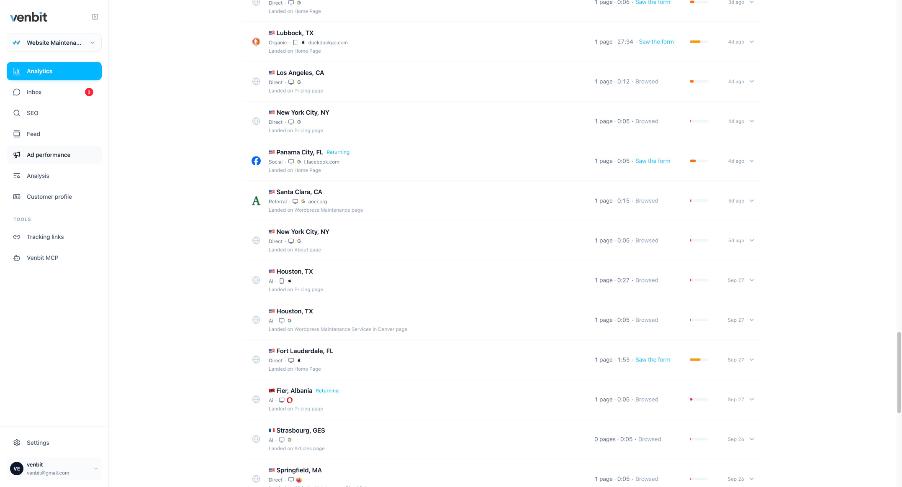
This is where the second gap gets faces. The visitor trails list has one row per visit, with the town, the channel, the device, the page they landed on, how many pages they read, how long they stayed, and the outcome. The filters along the top cut the list to Leads, to Left a form, or to Warm, no lead, which is the group you are looking for: people who read several pages, got close, and went quiet.
Open one and you get the steps in order: landed on the home page, read for 36 seconds, started filling the quote form, saw the form, and then either sent it or left. Started filling a form means a field was focused, which is a weaker claim than it sounds, because a tap into a field counts with nothing typed. The trail names the field by its label. What was typed shows only to people with the leads permission; everyone else sees the step without the value. If twenty trails in a row stop at the same field, that field is the problem, and the reasons people give up on a form are a short list.
The town on each row comes from IP geolocation and is approximate. Treat it as a region, not an address.
What broke on the page
Some of the people who stopped at the form did not change their minds. The page refused them. The tracker records four kinds of failure. Rage clicks, where someone clicks the same spot four or more times inside a second and the page does nothing for two and a half seconds after. Dead clicks, a single click on something that looks like a button and is not. Form errors, where a submit was refused. And JavaScript errors on the page. Each is ranked by how many different people hit it, so one tester hammering a button does not top the list.
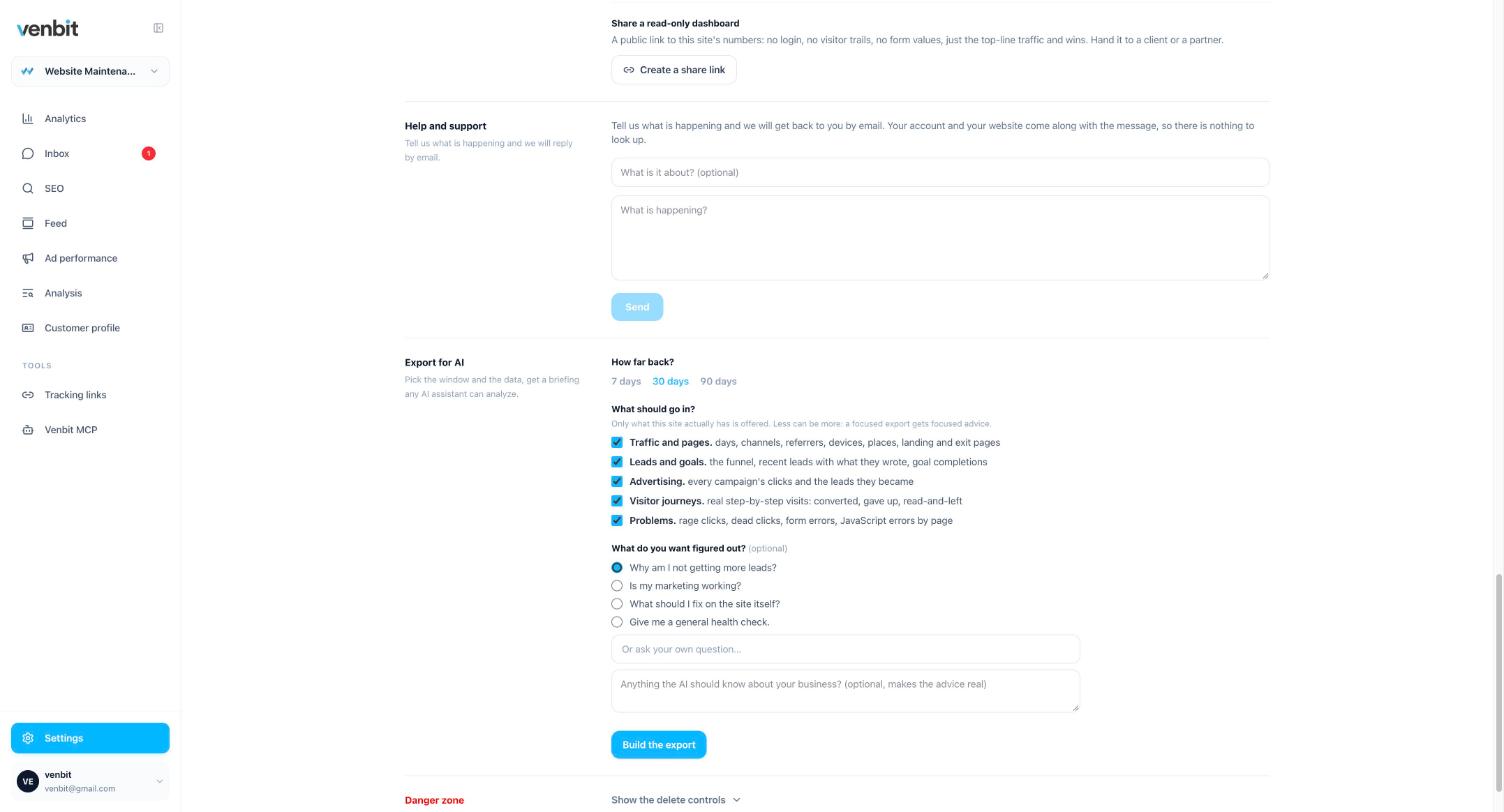
The settings screen above is the export that bundles those problems with the funnel and the leads, so you can hand the lot to an AI assistant with the question already attached. The Analysis tab in the portal asks the same questions of your own numbers and answers in plain English, and the first question in its Leads and forms group is why aren't more visits becoming leads. It says the data is thin when the data is thin, which a forty-visit month deserves.
When the page is the reason
If the funnel's second gap is wide and nothing is broken, the page did not persuade. The things that stop a person sending a form to a local business are known: no sign you serve their town, no idea what it costs, no proof anyone has hired you, and a form that asks for more than a name and a phone number. Writing the content that answers those does more than any layout change.
One more check before you conclude you have no leads. Look at whether your phone number is a tap-to-call link. A tapped number counts as a lead in the inbox beside the forms, the iPhone app pushes it the moment it happens, and for a trade the phone is where much of the business arrives. If the number is plain text, people are dialling it by hand and leaving no trace, and the leads you think you lack are reaching your phone with no record of the page that made them call.
Related services
More on reading your website's numbers
Every question in this series, from Website Analytics for Small Business Owners.
Leads inbox4
- Website Traffic but No Leads? Where the Visits Stop (you are here)
- How to Track Where Website Leads Come From, Lead by Lead
- How to Track Phone Calls From Your Website Without a New Number
- Get Notified When Someone Fills Out Your Contact Form, in Seconds
Ad performance4
SEO tracking3
Visitor behaviour4
Feed and notifications3
Goals and measurement4

Tony Carnevale
Founder, Venbit
Tony started Venbit in Mill Creek, WA in 2011 and still does the work: web design, SEO, and the website analytics product the company builds and runs for its own clients. The numbers and screens in his articles come from that product, not from a content mill.