 Tony Carnevale
The short answer
Make your phone number a tel link, and one analytics script can count every tap on it with the page, the source and the visit behind it, with no tracking number swapped in. A tap is intent, not a connected call, so you learn which pages and which ads send people to the phone, never how long the call lasted.
Key takeaways
- A phone number written as plain text counts nothing. Wrap it as a tel link and every tap becomes an event the page can see.
- A tap tells you the page, the source and the moment. It cannot tell you whether the call connected or how long it ran.
- Taps land in the same inbox as form submissions, each with its town, source and trail, and the app pushes taps and email clicks as they happen.
- Call tracking numbers know the call connected and can record it, at the price of a swapped number on your site.
- Expect more taps than calls you take. The difference is accidental taps, second thoughts and voicemail.
You can count the calls your website starts without changing your phone number. When the number on the page is a tel link, a tap on it is an event the page can see, and an analytics script records that tap with the page it happened on, where the visit came from, and what the person read first. That is the count most owners want, and it needs no second number and no afternoon with a tag manager.
What it cannot do is tell you whether the call connected. A tap is a person reaching for the phone, nothing more. The rest of this article is about what that tap does and does not tell you, how it shows up in Venbit's analytics, and where a swapped tracking number adds something a tap never can. The screens are from the demo site, WebsiteMaintenance.com, and any number read from one is that site's.
What a tap can and cannot tell you
A tap tells you that at a known moment, on a known page, a person who arrived from a known source pressed the number. From that you get the count of people your site sent to the phone, the pages that made them do it, and the sources those people came from. Over a month that is enough to say which page earns the calls and whether the ads are producing callers or only readers.
A tap does not tell you whether the phone rang, whether anyone answered, how long the conversation ran, or what it was about. On a desktop a click on a tel link opens whatever that computer uses for calls, which for many people is nothing, so a desktop click is weaker evidence than a tap on a phone. The number of taps will run higher than the number of calls you take, and the difference is people who tapped by accident, changed their minds, or got voicemail.
I say this up front because the opposite claim is made all the time, and it is false. Nothing a web page can see knows what happened on the phone network afterwards.
Click to call: the number has to be a link
A phone number written as plain text counts nothing. People read it, dial it by hand and leave no trace of which page they were on. The number has to be wrapped as a tel link so that a tap dials it, and the same goes for an email address as a mailto link. This is a one-line change in any site builder, and on trade sites it is the largest source of uncounted leads I come across.
The tracker records taps on tel links and clicks on mailto links directly, as lead signals, so once the links exist there is nothing to set up. In the goal settings they appear as the phone and the email, alongside the goals you define yourself, such as a booking page reached.
Where the taps land
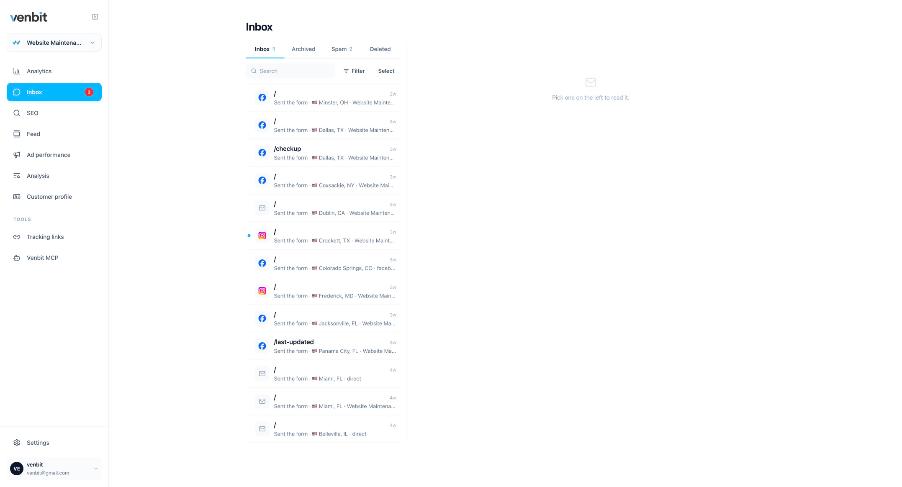
A tap lands in the inbox as a lead, in the same list as the forms, with the page it came from, the town and the source of the visit. The iPhone app pushes it at the same moment, and the push reads Someone just tapped your phone number. An email click reads Someone just clicked your email address. Getting that push the moment a form is sent works the same way for all three.
Forms land here too, stored outside the email path, so a submission is in the inbox even on the day the form's email does not arrive. For a business that lives on the phone, that one list is the first time the calls and the forms have been counted in the same place.
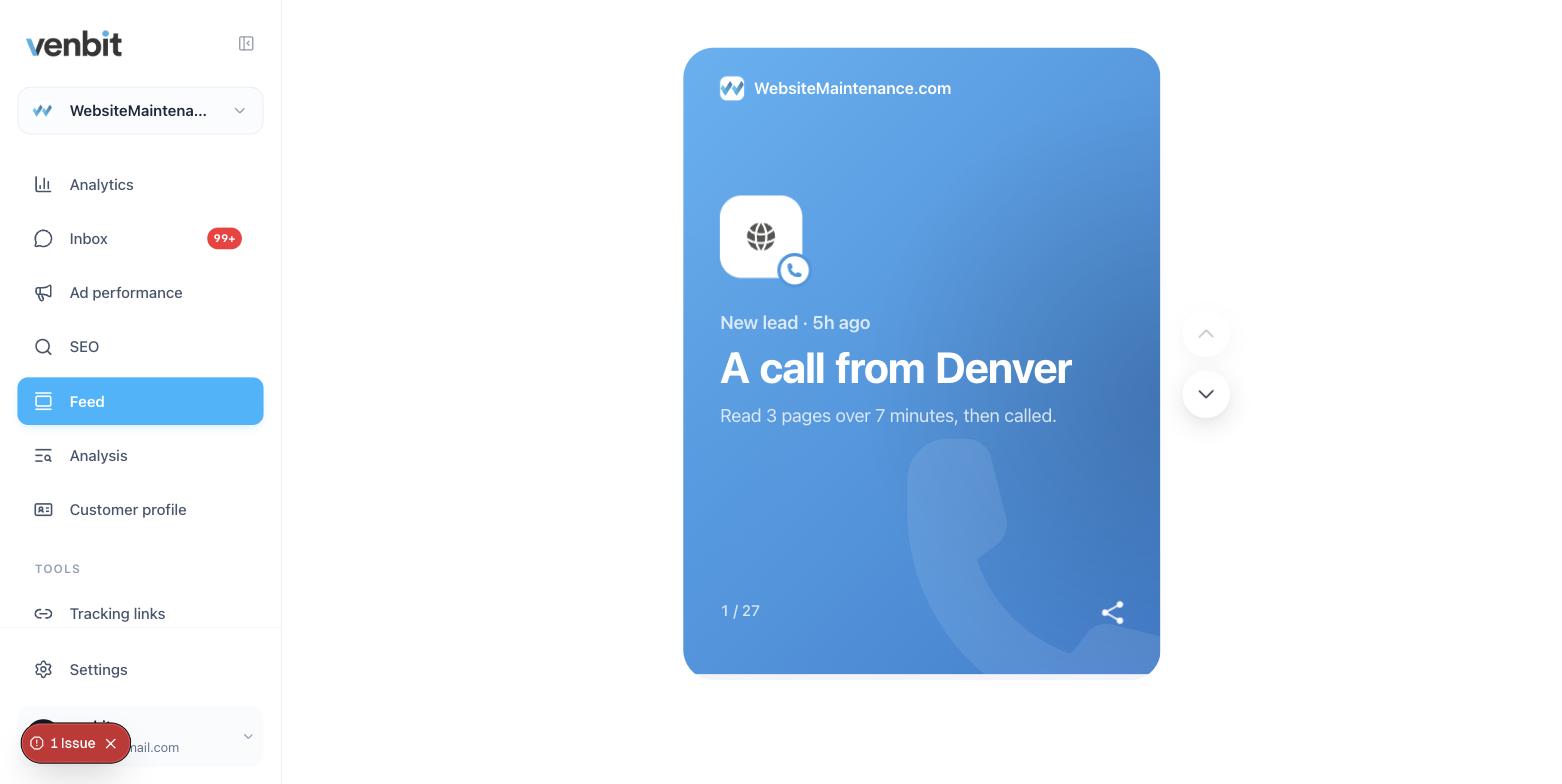
The feed carries it as well. Each period's cards include the leads, and a phone tap gets a card with the source it came from and how much they read first, so an owner who never opens the inbox still sees that Tuesday's ad brought callers.
The page that made them call
Open a tap in the inbox and the facts under it are the same as for a form: came from, location, page, device, pages read, time on site, and the trail of the visit. The trail is the part that answers the owner's real question, which is what made this person call. Three pages read in four minutes, ending on the pricing page, is a different caller from one who landed on a service page from an ad and tapped within ten seconds.
The town on each lead comes from IP geolocation and is approximate. For a tap it is still useful, because a cluster of callers from a town you do not serve is an ad targeting problem you can fix tomorrow. Reading each lead back to its page and source is the same exercise for taps as for forms.
For people who may see the site's traffic but not its leads, the trail still shows that a call was started, on which page and when. The number dialled is hidden from them, because the number is the private part and the fact of the call is not.
Do you need a call tracking number?
Call tracking services work differently. They give you a second phone number, swap it onto your website, and route calls through their system to your real line. Because the call passes through them, they know things a tap never can: whether it connected, how long it lasted, and, if you allow it, what was said.
The trade is the number itself. The one on your website is no longer the one on your Google Business Profile, your van or your invoices, and keeping those consistent is part of ranking locally. The number belongs to the service, so it stops working when you stop paying. And the service sees the call, not the website, so the page and the pages before it come from a separate integration or not at all.
| Tap tracking | Call tracking number | |
|---|---|---|
| Your real number stays on the site | Yes | No, a swapped number |
| Counts the tap and the page it was on | Yes | Depends on the integration |
| Knows the call connected and how long it ran | No | Yes |
| Records the call | No | If you turn it on |
| Keeps the visit's source and trail with the lead | Yes | Depends on the integration |
| Needs more than one script tag | No | A number, routing and a monthly service |
Tracking phone number clicks in Google Analytics
Google Analytics can record a tel link click as an event, which is why the tutorials for it run long: the click has to be set up as an event first, through a tag manager or code, then marked as a key event. Once that is done you get a count by page and by channel. Each tap as an item you can open, with the trail of that visit under it and the form submissions in the same list, is a different kind of tool.
After the tap
Counting taps shows you a number most owners have never seen: how many times in a month the site sent somebody to the phone. The next question is how many of those calls were answered, and no analytics tool knows that. If the tap count is high and the booked jobs are low, the gap is on the phone, and whether an AI can answer the calls you miss becomes a practical question instead of a novelty.
On your phone
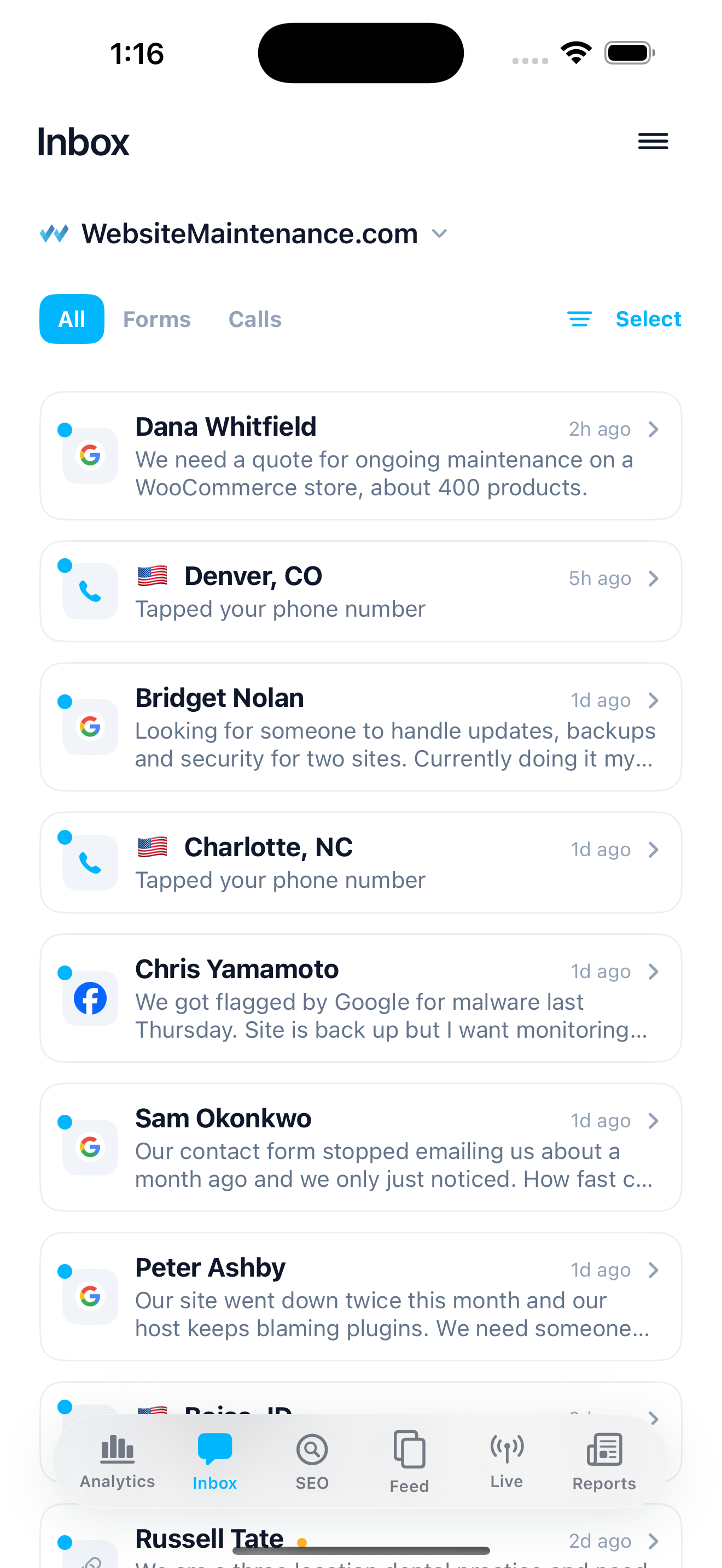
The iPhone app holds the same inbox, and the push for a tap arrives when the tap is recorded, which can be while the person is still on the line, the one moment knowing about it changes anything. Mark the lead contacted, won or lost after the call, and by the end of the month the inbox says which pages produced the calls you booked.
Related services
More on reading your website's numbers
Every question in this series, from Website Analytics for Small Business Owners.
Leads inbox4
- Website Traffic but No Leads? Where the Visits Stop
- How to Track Where Website Leads Come From, Lead by Lead
- How to Track Phone Calls From Your Website Without a New Number (you are here)
- Get Notified When Someone Fills Out Your Contact Form, in Seconds
Ad performance4
SEO tracking3
Visitor behaviour4
Feed and notifications3
Goals and measurement4

Tony Carnevale
Founder, Venbit
Tony started Venbit in Mill Creek, WA in 2011 and still does the work: web design, SEO, and the website analytics product the company builds and runs for its own clients. The numbers and screens in his articles come from that product, not from a content mill.