
Meet Venbit Web Intelligence
The people on your website, the leads they turned into, and whether the ads paid for themselves. On your desk and in your pocket.
Traffic, leads, ads and rankings in one app
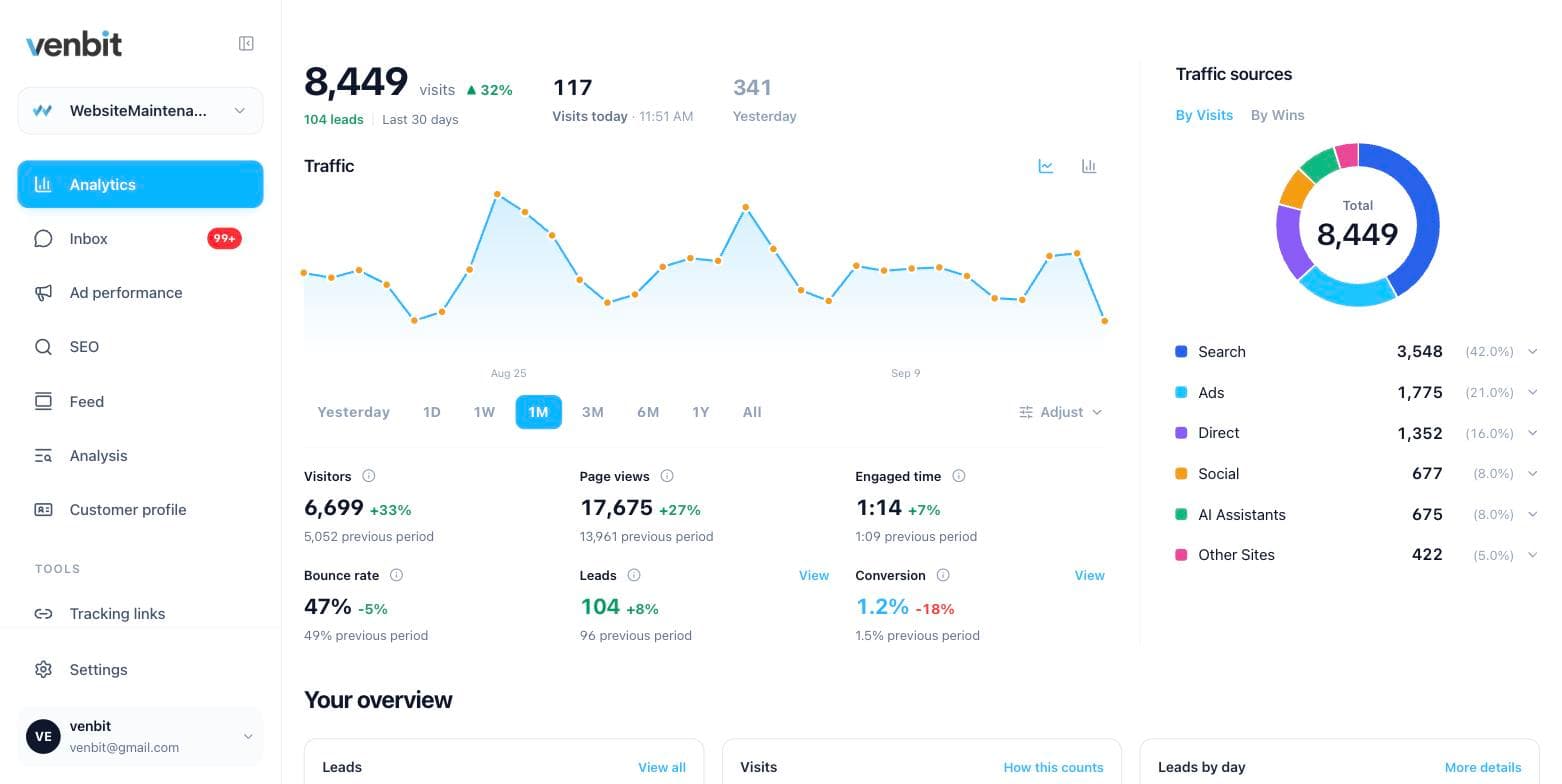
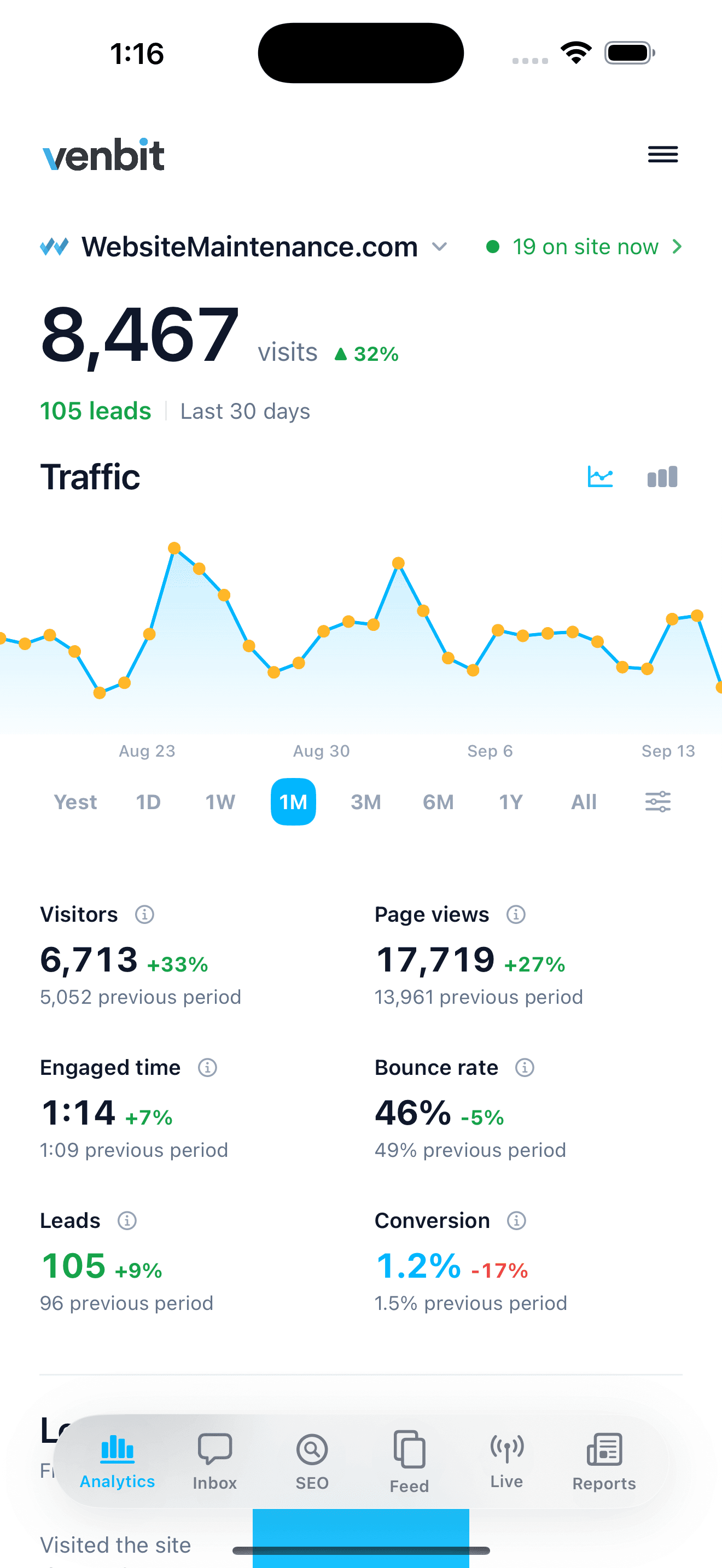
Every visit is counted with the bots dropped, every form and phone tap becomes a lead, and your phone gets a push the moment one lands. The ad screen opens with a verdict on whether the spend paid off, live shows who is on the site right now, and your keyword rankings sit next to the leads they bring in. One app, on your desk and in your pocket.
Push notifications.
Your phone knows the moment a lead lands
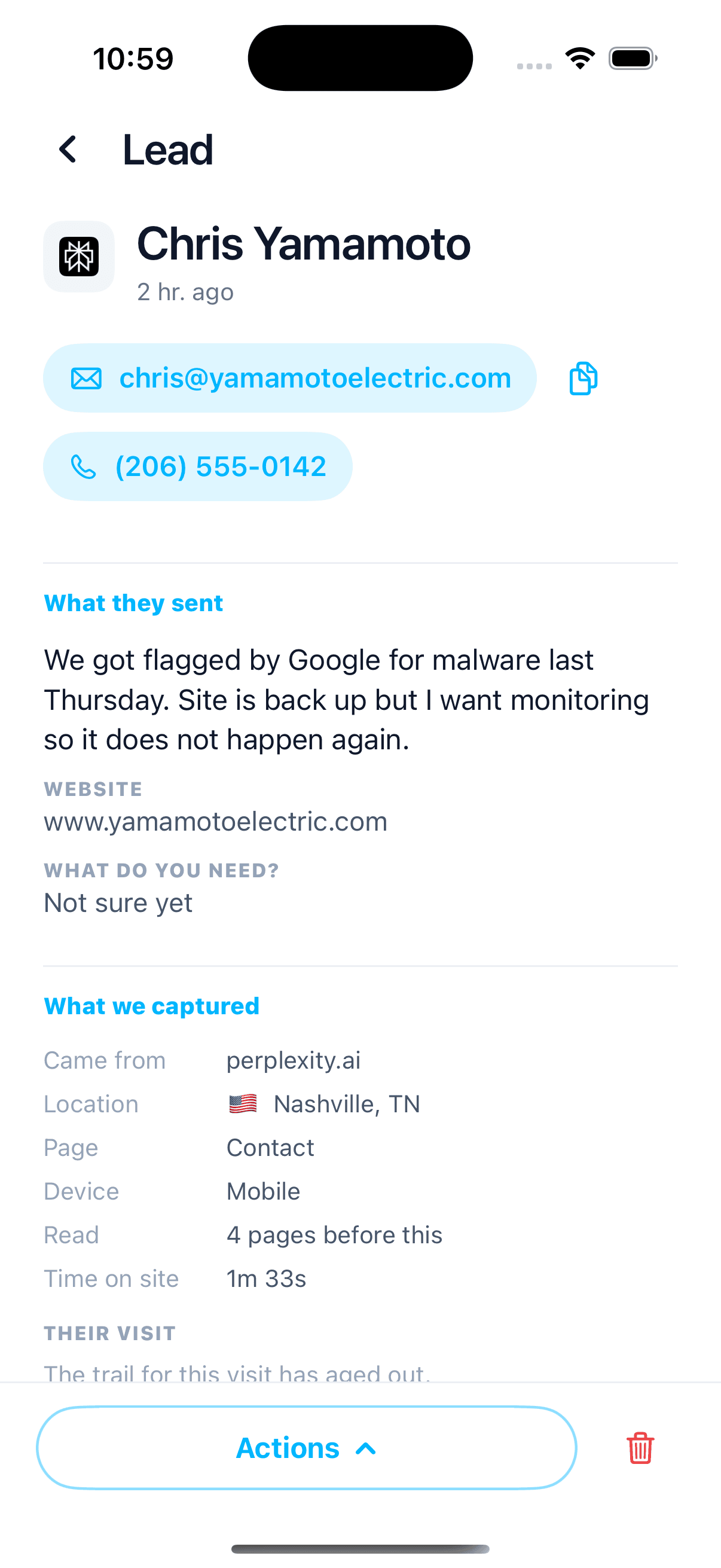
The app sends a push with the person's name on it. A tap opens the lead with the message and the pages they read first, so you can call back while they are still on your site.
You pick what wakes your phone. The rest waits in the inbox and the feed.
- A contact form sent
- A phone number tapped
- An email address clicked
- Any goal you set, such as a booking page reached

Analytics tracking.
The whole site on one screen
The traffic chart, the seven numbers under it and the lead funnel, on one screen you can read in ten seconds.
Every number against the previous period
Visitors, page views, engaged time, bounce rate, leads and conversion rate, each beside what it was last time, so you see the size of a move and not only its direction.
The lead funnel
Visited the site, reached the form, became a lead, with the share that made each step. On the demo site that is 6,676 visits, 975 at the form and 103 leads.
Bots dropped first
Crawlers, uptime monitors and datacenter traffic are removed before anything is counted, so every number is a person.
Any window, one tap
Yesterday, a week, a month, a year or all time, and the chart redraws.
The feed.
A daily feed of what changed
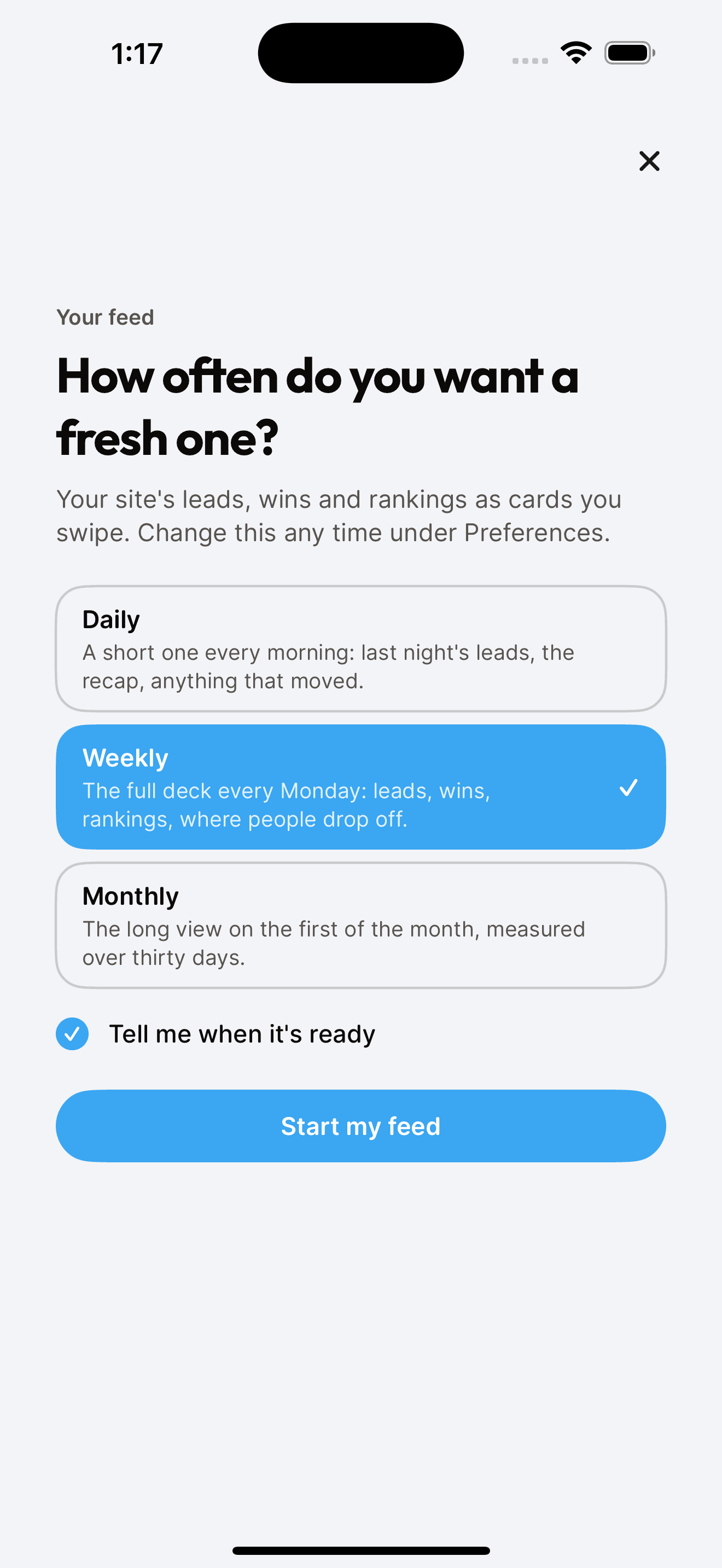
Every morning the feed deals what moved as cards: the day's recap, a ranking that climbed, the verdict on the ads, a page that got its first lead. Set it to daily, weekly or monthly. This is the real feed, playing the demo site.
Three more screens.
Leads, ads and live visitors, one tap apart
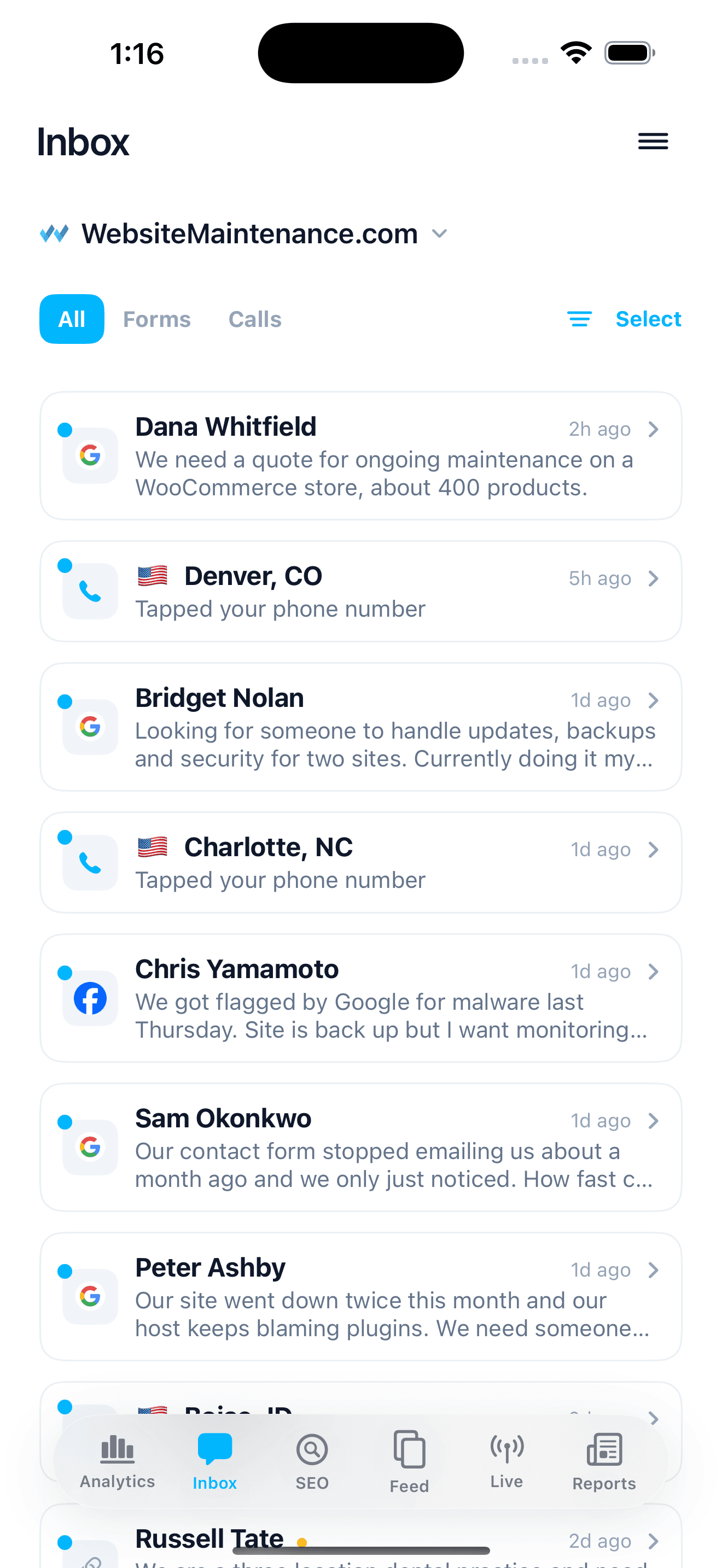
Lead inbox
Every form and phone tap, with the page and the source it came from.
Ad performance
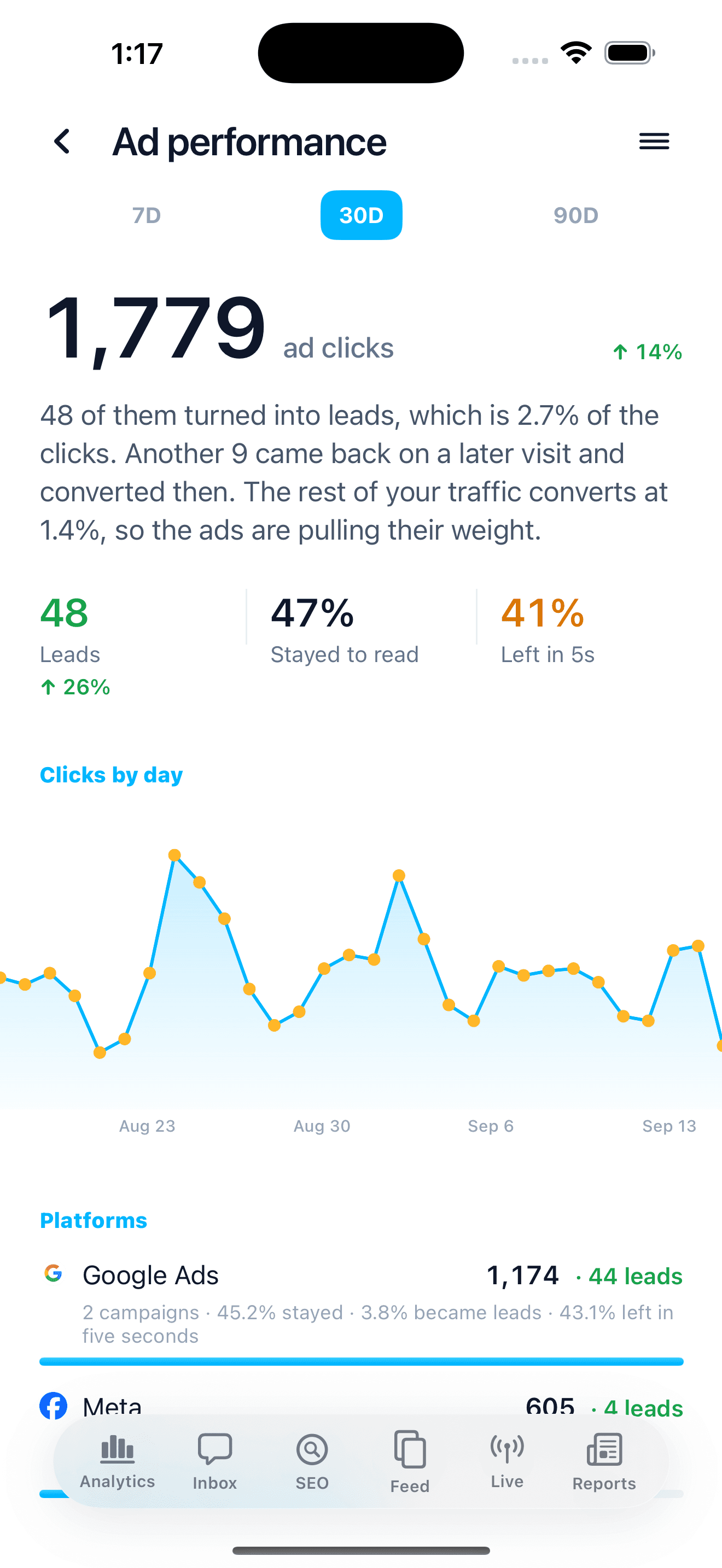
Whether the ads paid for themselves, in one paragraph at the top.
Live visitors
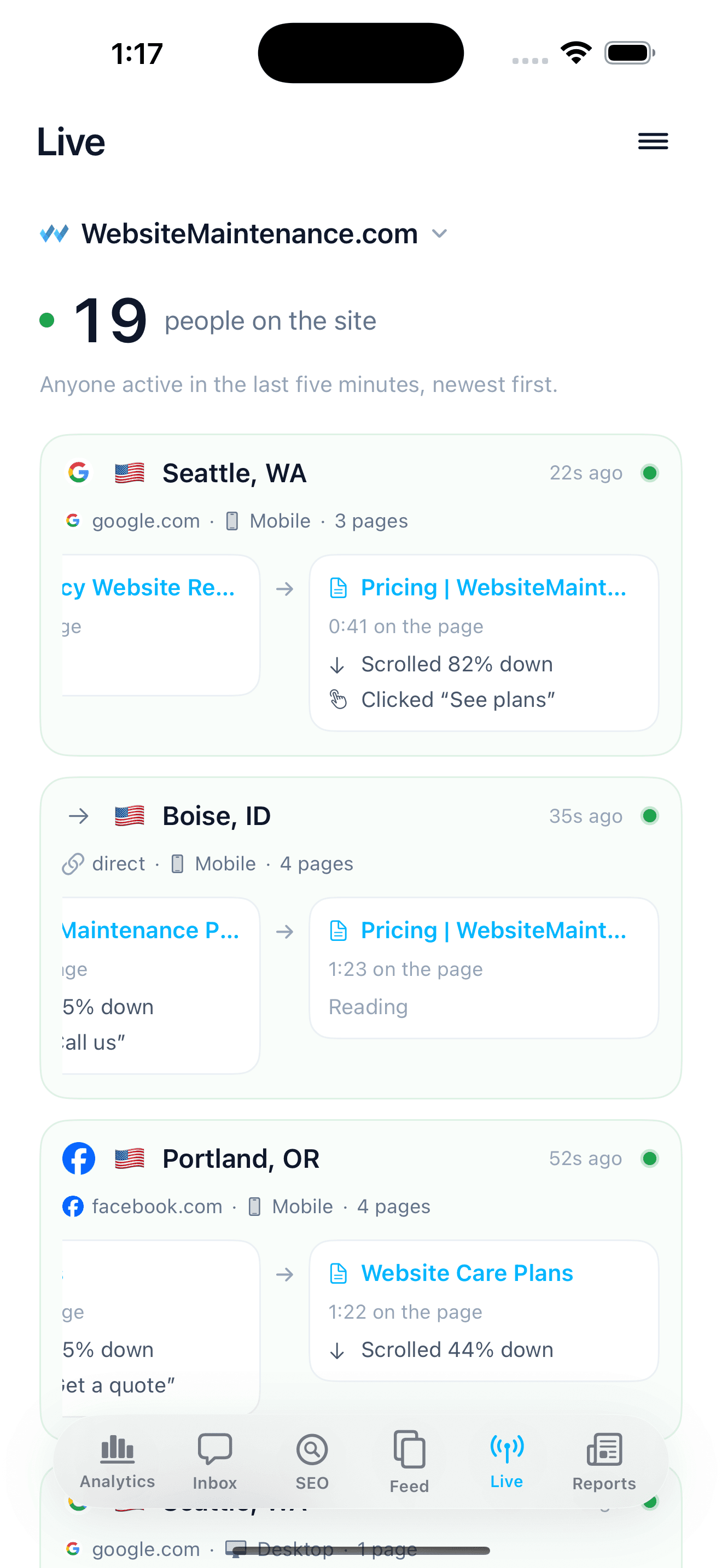
Who is on the site right now, the page they are on, and the last thing they clicked.
The answers.
Ask it one question
A plain verdict on the ad spend. Clicks, the leads they became, and how that rate compares with the rest of your traffic, in one paragraph at the top of the Ad performance screen.
SEO tracking.
Your Google rankings, checked every day
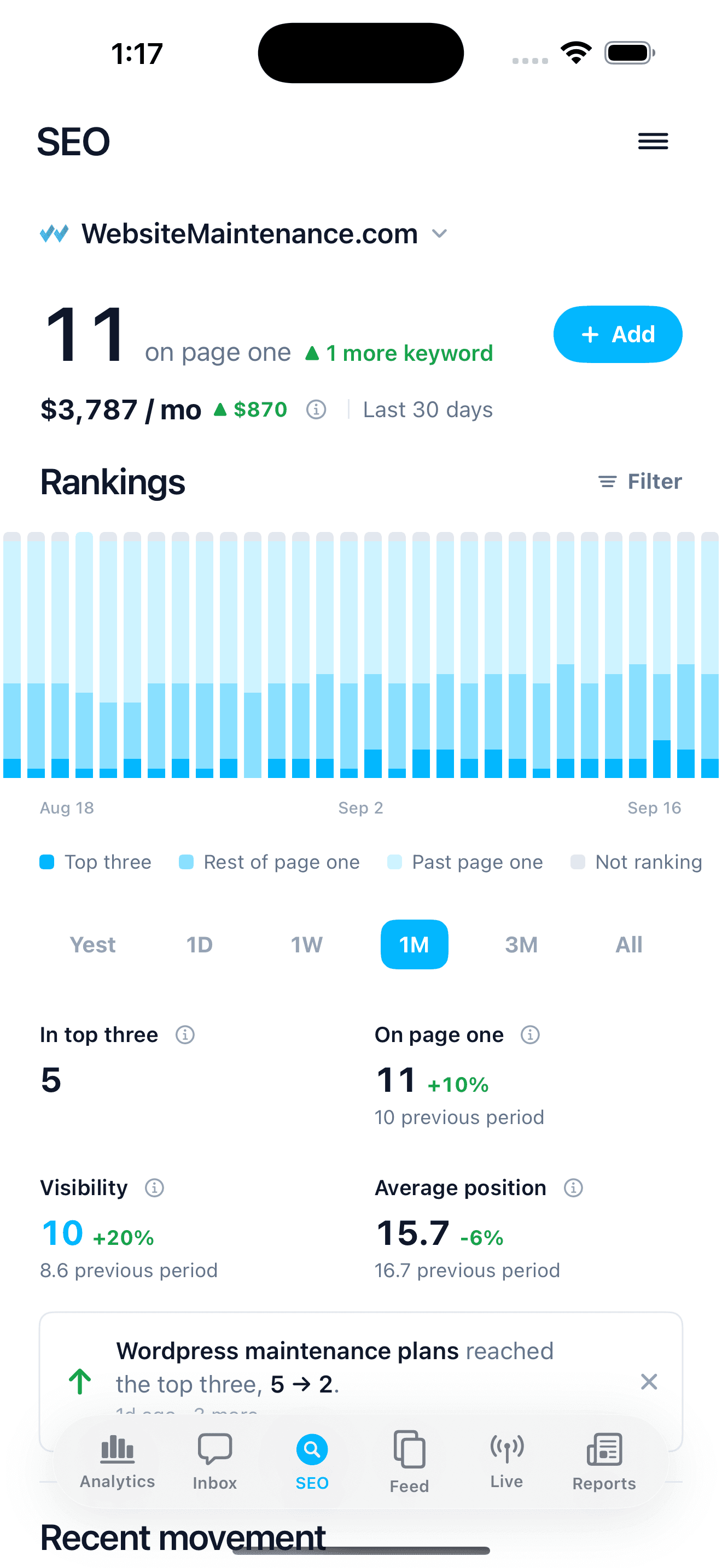
Track your Google rankings for the searches that matter to your business. Every keyword is checked for its position and its spot in the map pack, page one is priced in visits a month, and the chart shows how many keywords sit in the top three, on page one, or off it, day by day.
Keyword suggestions
Tap Find them for me and it reads what people wrote in your inbox to suggest the searches worth tracking, or add your own. Each one is checked for its Google position and its spot in the map pack.
Competitors on each search
Every check keeps the whole results page, so a keyword opens to the companies ranking above you on that search, with their ratings.
Ranking alerts
When a keyword reaches page one, reaches the top three, climbs five or more places, or slips off page one, the app tells you, once the move has held on the next check, with the keyword and the position it reached. New Google reviews arrive the same way. Mute the kinds you do not want.
Venbit MCP.
Your data inside Claude, Cursor and Copilot
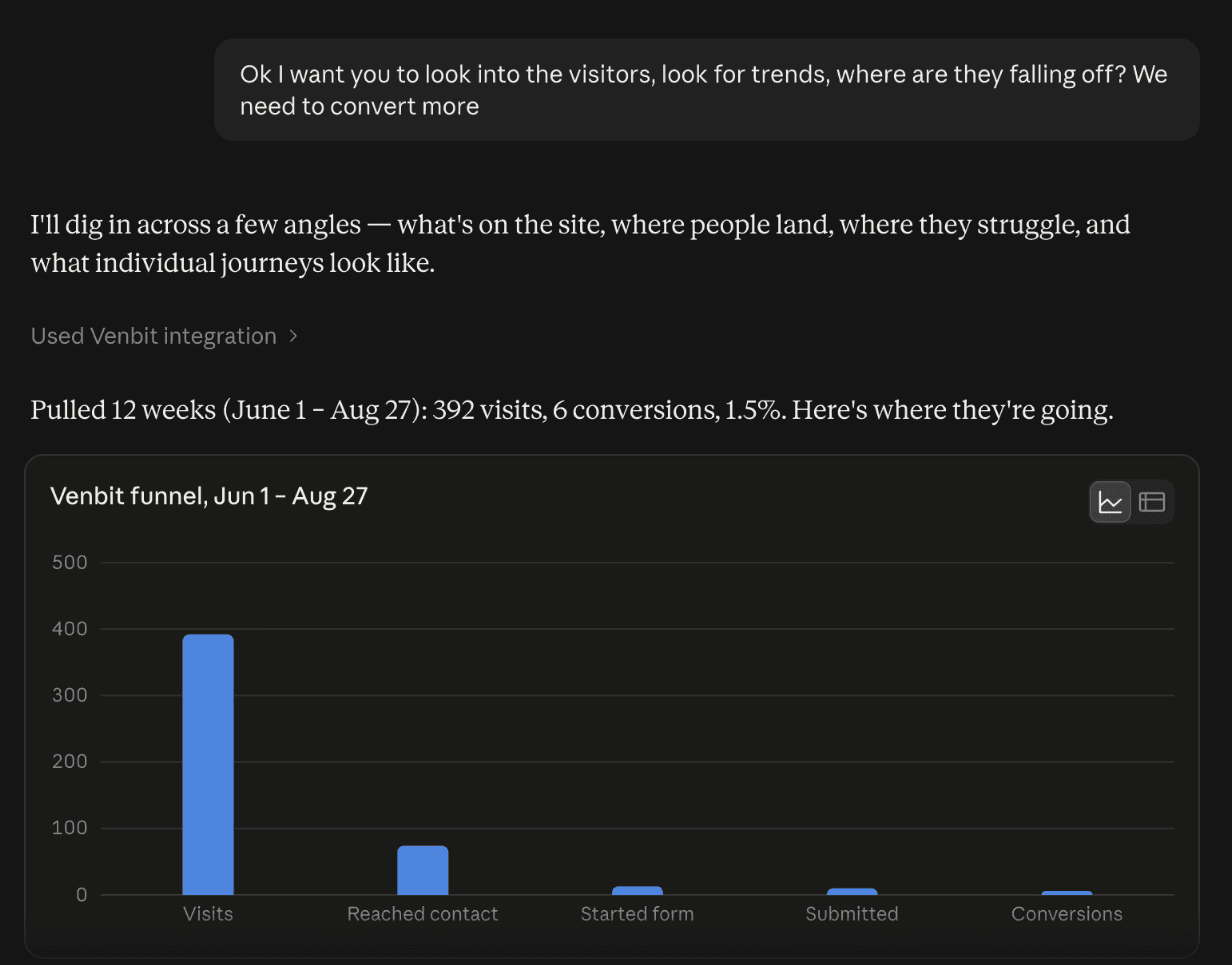
Every number in the app is also served by an MCP server. Make a key in the portal, paste it into Claude, Cursor or Copilot, and the AI gets twelve tools: traffic, ads, rankings, friction, individual visitor journeys, and the forms and phone numbers on the site itself.
Each metric is defined and each answer names the site, window and timezone it came from, so the AI analyses instead of guessing. Agencies get one key across every client site they can open.
How you get it.
Included with every Venbit website and care plan
Included for Venbit clients. Ask us about access.
- One script tag, installed by us or pasted in by you
- The iPhone app and the web portal for every site you own
- A push the moment a lead arrives, and the weekly feed
- Google rankings tracked for the searches you care about
- No cookie banner needed: no cookies, no cross-site identifiers
Everything else.
And much more
Everything in the app today.
Leads inbox
Every form and phone tap, with the trail behind it
Ad performance
A plain verdict on the spend, split by platform and campaign
SEO tracking
Positions, map pack, and page one priced in visits a month
Live
Who is on the site right now and what they are reading
The feed
What moved, as cards, daily, weekly or monthly
Push notifications
A lead, a goal, a ranking move or a new review, the moment it happens
Visitor journeys
What one person did on your site, step by step
Friction
Rage clicks, dead clicks and form errors, ranked by people affected
Page detail
For any page, who arrived, how long they stayed and how far they scrolled
Analysis
The questions owners ask, answered from your own numbers
Customer profile
Where your best leads live and what they have in common
Goals
Name what counts as a lead on your site: a page, a button, a form
Tracking links
Short links that tie an ad, a post or a QR code to the leads it made
Venbit MCP
Hand your analytics to Claude with one key and ask it anything
AI visibility
Whether ChatGPT, Claude and Gemini recommend you for your category
Google reviews
New reviews arrive in the feed and on your phone
Team access
Invite a partner or a client to one site, and remove them in a tap
Page speed
Load speed as your real visitors measured it, at the 75th percentile
No cookies
One script tag, no banner, bots dropped before anything is counted
iPhone widget
Today's visits and leads on your home screen
Web and iPhone
The same numbers at your desk and in your pocket
Questions.
Questions owners ask
For most small businesses, yes. If you run a large ecommerce store with a marketing team that lives in GA4 reports, keep GA4. If you want to know whether the phone rang because of the ads, this is the simpler answer, and the two can run side by side.