
On pace for 305 to 415 visits today
212visits so far0leads so far
On pace for 1 to 3 leads by midnight.
How we know Feed and Analytics · Venbit Intelligence
See everything your website does for your business. The Feed shows what changed since your last look and the numbers behind it, from the first click to the new lead on your iPhone.
Bots are filtered out of every number.

On pace for 1 to 3 leads by midnight.
How we knowNew lead on WebsiteMaintenance.comnowSomeone just tapped your phone number.New lead on WebsiteMaintenance.comnowSofia Marchetti just sent your form.Feed
Open Venbit Intelligence and the Feed tells you what changed since your last look. You see who reached out, where today is heading and which form people give up on. Each finding is tested on your own site's numbers before it reaches you.

327 typed but did not send; 327 of them were seen leaving the page.

Send the form yourself on a phone and note anything that slows you down.
On pace for 4 to 7 leads by midnight.
How we knowLeads added up day by day, each period from its first day.
Analytics
See how many people came, how many became leads and whether that beat the period before. Search, ads, social and AI assistants like ChatGPT and Perplexity each get their own line, with bots filtered out.

 Seattle, WALeadOn Home
Live globe
On the live map, See it in 3D turns the map into a globe and swings it round to your busiest town. Every town your visitors came from in the last 30 days is a dot sized by its visits, and each town with someone on your site right now breathes green.

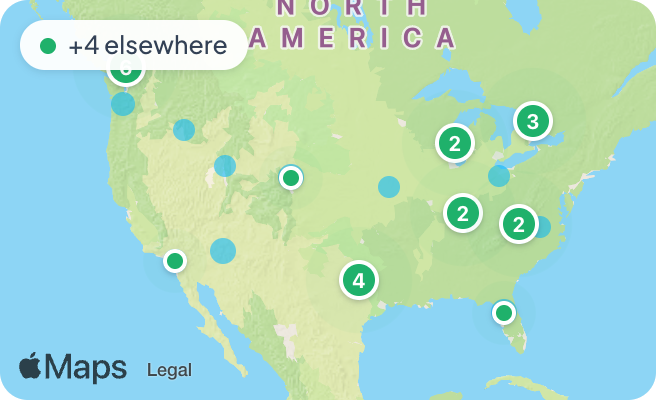
On the site nowLast 30 days
23 on the site now · 18 towns · last 30 days
On the site nowLast 30 days
AI search
When someone asks ChatGPT, Perplexity, Gemini, Claude or Copilot and follows its link to your site, Venbit names the assistant, counts the visit and marks it the moment it becomes a lead. Open any assistant to see the people it sent and what its crawlers loaded.
 ChatGPTOpenAI · last seen 3m ago4656▲ 20%489Same
 Perplexitylast seen 1h ago1556▲ 20%172Same
 GeminiGoogle · last seen 2h ago16Same00
 ClaudeAnthropic · last seen 5h ago11Same0187Same
 CopilotMicrosoft · last seen 3h ago4Same00
GPTBot, ClaudeBot and most other AI crawlers read pages without running scripts, so the pages read here are the ones loaded the way a browser does.
Reports
Pick a question, like “Are my ads paying off?” or “Which pages are losing people?”, and Venbit answers it from your own numbers: what changed, why, and the changes worth making first. Every figure is checked against your data before you see it.

Leads rose 7%, from 103 to 110, while visits rose 2%, from 8,184 to 8,367. Ads brought the most leads, and the contact form lost the most people at its Message box.
Ads brought the most leads. Ads brought 1,757 visits and 45 leads. Search brought twice the visits, 3,515, and 33 leads.
Venbit MCP
Pick your assistant, paste one link, and ask about your visits, leads, ads and Google rankings in its own chat. It reads your numbers and cannot change anything.
Ask your AI assistant about WebsiteMaintenance.com's numbers in its own chat. It reads them and cannot change anything.
 Claude
 ChatGPT
 Grok
 Meta Muse
https://venbit.com/api/mcp/vb_Qm7tK2xR9pLwE4cZ8hN1sV6bJ3yF0dGaU5CopyShown once: Venbit keeps only a scrambled copy. Lost it? Make another. Perplexity
 CursorClaude Code
 VS Code
Venbit Intelligence
Start your 14 free days and add one line of code to your site. Your visits and leads start counting from there.
InboxGet every lead with the visit that brought it.
Site AgentAn AI chat bot that turns visitors into leads.
Ads & SEOSee what your ads bring in and where you rank on Google.
MCP & DataAsk your own AI about your traffic, leads, SEO and more.
The detailsSet up alerts, goals, your team and the iPhone app.

Add your website and watch the first visits arrive. Free for 14 days, no card needed.